
Granola Alternatives for Mac and iPhone: 7 Team-Ready Picks
Love Granola’s notepad but need team features, consent controls, or notes beyond meetings? Seven Granola alternatives for Mac and iPhone, compared honestly.
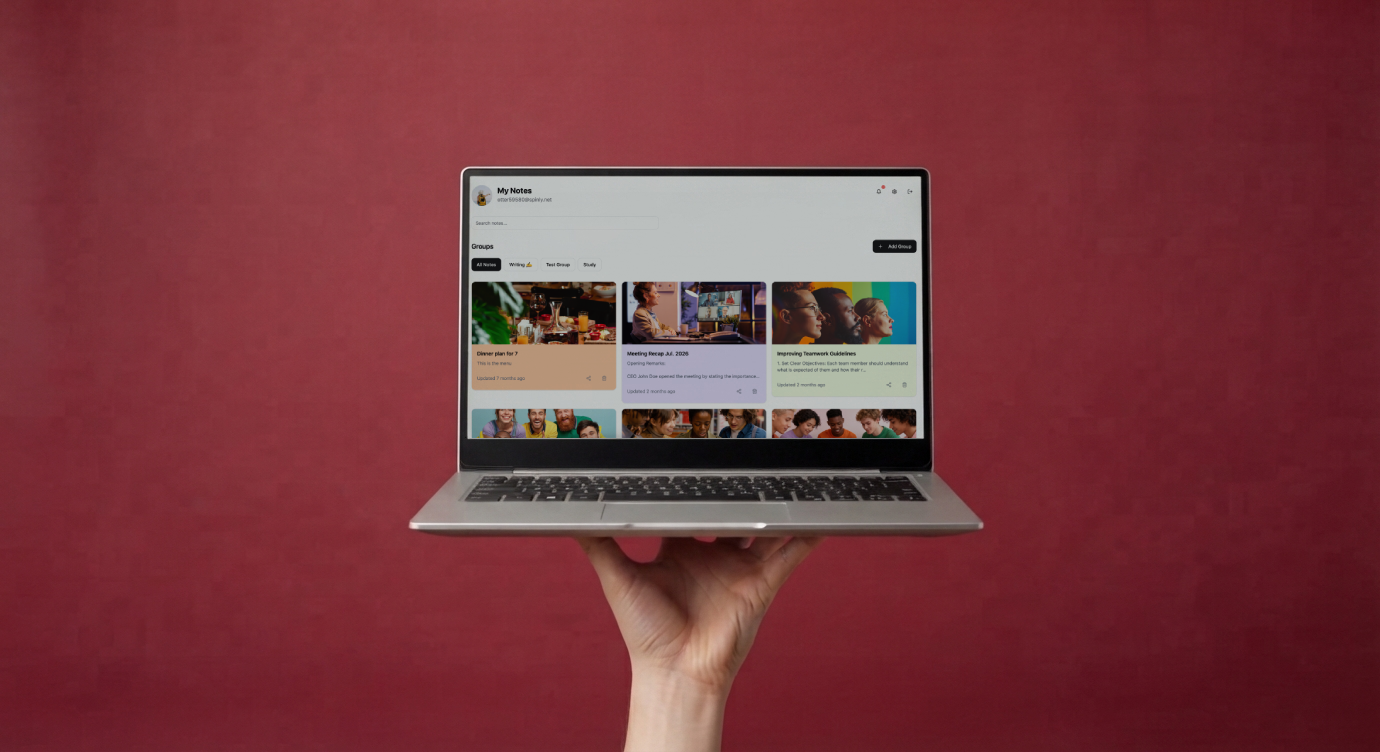
Quick answer: The best Granola alternatives for Mac and iPhone in 2027 are MindNote (for multimodal notes and team sharing), Otter.ai (for live transcription and a generous free tier), Fireflies.ai (for meeting search and CRM integrations), Fathom (for unlimited free recordings), Notion AI Meeting Notes (for Notion Business teams), Apple Notes (for free personal capture) and Zoom AI Companion (for Zoom-only teams on paid plans).
Why people love Granola, and why some teams look elsewhere
Granola built its reputation as an AI notepad rather than a meeting bot. It captures audio from your device, so no extra participant appears in the call, and it blends your own rough notes with an AI transcript. It runs on Mac, Windows and iPhone, and one review checked in September 2026 lists a free Basic plan with recent history and a Business plan at $14 per user per month.
Teams start looking for alternatives for a few recurring reasons:
- Consent and transparency. A bot-free tool doesn’t visibly announce itself, so the duty to inform participants sits entirely with the user. Some organizations prefer a visible, policy-driven approach.
- Meetings you can’t attend. Device capture needs you (and your laptop) in the meeting.
- Notes beyond meetings. Whiteboards, PDFs, YouTube videos and field voice notes.
- Team workflows. Shared groups, exports and mixed iPhone/Android teams.
Quick comparison
| Tool | Capture style | Strengths | Consider if |
|---|---|---|---|
| MindNote | Bot by link or calendar; phone dictation | Multimodal notes, prompt editing, consent option, exports | You want one tool for meetings, voice, images, PDFs and video |
| Otter.ai | Bot and live transcription | Mature transcription, free tier | You want live transcripts and familiar UX |
| Fireflies.ai | Bot | Meeting search, CRM integrations | You’re a sales or revenue team |
| Fathom | Bot | Generous free recording | You want free unlimited recordings |
| Notion AI Meeting Notes | Device capture | Notes inside Notion pages | Your team is on Notion Business |
| Apple Notes | Device recording and transcription | Free, private, built-in | You need personal memos only |
| Zoom AI Companion | Built into Zoom | No extra app, included with paid Zoom | You only use Zoom |
1. MindNote: best for teams that need more than meeting notes
MindNote joins Zoom, Google Meet and Microsoft Teams calls by link or calendar auto-join, with a participant-consent option and a choice to deliver transcripts only to you or to all participants. On Mac and iPhone it also handles dictation, image-to-text for whiteboards and scans, YouTube video-to-text and PDF listening, all in one workspace. Multi-step prompt editing turns raw notes into recaps, translations and tables, and notes export to Word, PDF or Excel.
Best for: product, marketing, agencies, founders and any team whose knowledge doesn’t only come from calls.
2. Otter.ai: best for live transcription
Otter is one of the best-known transcription tools, with live transcripts during meetings. According to a pricing review checked in August 2026, the free plan includes 300 transcription minutes a month with a 30-minute cap per conversation.
Best for: individuals and teams that want real-time transcripts.
3. Fireflies.ai: best for searchable meeting libraries
Fireflies focuses on recording, search and analytics across meetings, with strong CRM integrations. Plans are priced per seat.
Best for: sales and revenue teams.
4. Fathom: best free bot-based recorder
Fathom is known for a generous free plan focused on recording and summaries.
Best for: individuals who want free, unlimited meeting recordings.
5. Notion AI Meeting Notes: best inside Notion
Like Granola, Notion captures from your device, and notes land directly in your Notion pages. Full access requires the Business or Enterprise plan.
Best for: teams already standardized on Notion Business.
6. Apple Notes: best free option for personal memos
On supported devices and languages, Apple Notes can record and transcribe audio, and the Phone app can record calls in some regions with an audible notice to both participants.
Best for: personal voice memos on Apple devices.
7. Zoom AI Companion: best for Zoom-only teams
Included with paid Zoom accounts, AI Companion summarizes meetings you host without installing anything extra.
Best for: companies that use Zoom exclusively.
How to choose
- Where do your meetings happen? One platform or many?
- Do you need notes when you’re not there? If yes, choose a bot-based tool with calendar auto-join.
- How will you handle consent? Visible bots plus notifications make policy easier to enforce.
- What else do you capture? If voice, images, PDFs or video matter, pick a multimodal tool.
- Who reads the output? If clients do, you need clean exports.
Sources
- Meetergo, Granola AI review and pricing (checked September 2026)
- Meetergo, Otter AI pricing 2026 (checked August 2026)
- Apple Support, Record and transcribe a call on iPhone
- Zoom, AI Companion included with paid accounts
More than a notepad. Try MindNote on Mac and iPhone.
Try MindNote free. Write, dictate, transcribe meetings, and organize your notes with AI.
Get startedFrequently asked questions
What is the best Granola alternative for Mac?
It depends on your needs. MindNote suits teams wanting multimodal notes and consent controls; Otter suits live transcription; Notion AI suits Notion Business teams.
Is there a Granola alternative for iPhone?
Yes. MindNote, Otter and Apple Notes all work on iPhone; MindNote also covers Android for mixed teams.
Why do some teams prefer a meeting bot over bot-free capture?
A visible bot makes recording obvious to everyone and can attend meetings without you, which helps with consent policies and coverage.
Is Granola free?
Granola has a free Basic plan with limited history and paid Business and Enterprise plans.
Can I use Granola and MindNote together?
Yes. Some people keep Granola for personal notes and use MindNote for team meetings, documents and voice capture.