
Best AI Notetakers in 2027: 12 Tools Compared for Teams
Twelve AI notetakers compared on capture method, platforms, AI editing, consent, pricing model and best fit, from MindNote and Otter to Zoom, Gemini and Copilot.
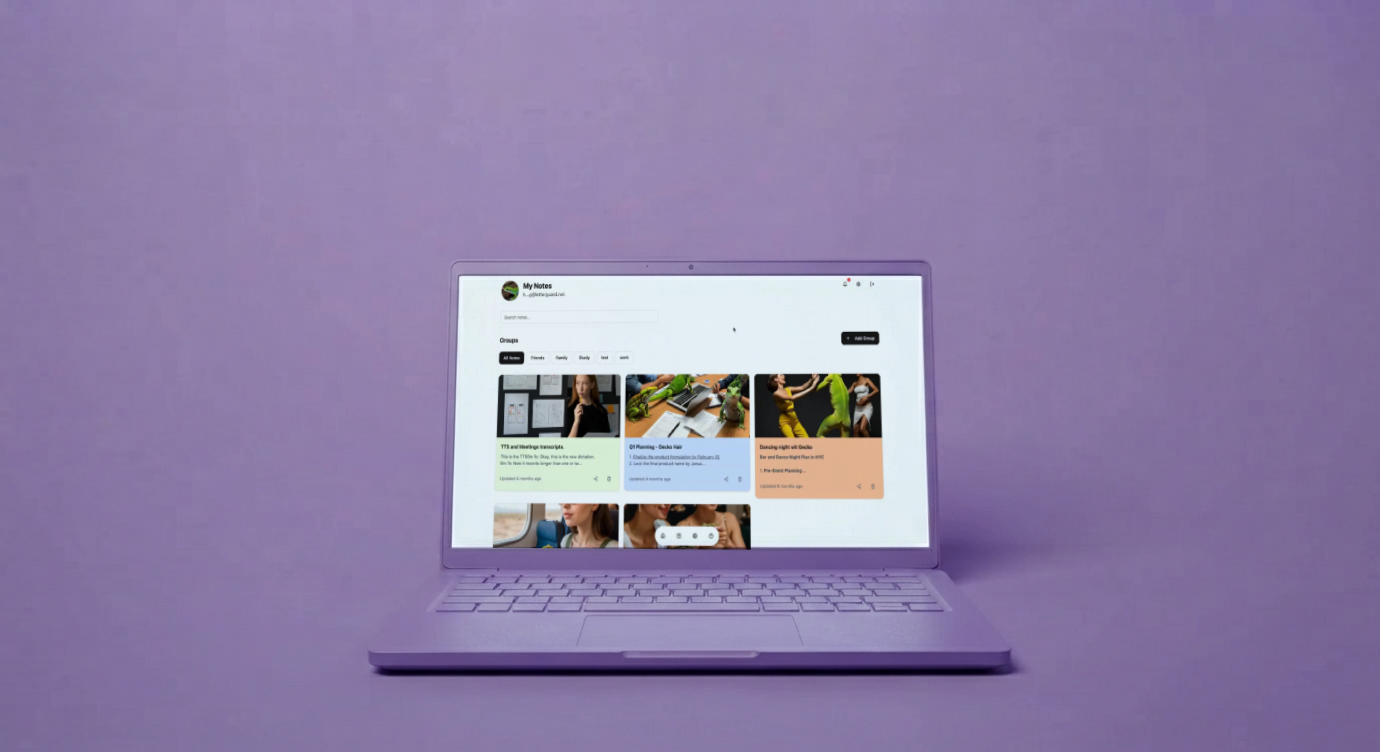
Quick answer: The best AI notetaker depends on how your team works. MindNote is best for teams that capture notes from meetings, voice, images, PDFs and videos and want AI prompt editing; Otter.ai for live transcription; Fireflies.ai for meeting search and CRM sync; Fathom for free recording; Granola for bot-free personal notes; Notion AI for Notion Business teams; and Zoom AI Companion, Gemini in Google Meet or Microsoft Copilot for single-platform companies.
How AI note-taking changed by 2027
- Platforms built their own. Zoom, Google and Microsoft now include AI meeting notes on qualifying paid plans.
- Bot vs bot-free became a real choice. Some tools join as visible participants; others capture audio from your device.
- Notes left the meeting room. Teams now expect one tool to handle voice memos, screenshots, documents and videos, not just calls.
How we compared them
We compared tools on six criteria using vendors’ published information and independent pricing reviews (dates noted in the sources):
| Criterion | What we looked for |
|---|---|
| Capture | Bot, bot-free, phone, files, video |
| Platform coverage | Zoom, Google Meet, Microsoft Teams, mobile |
| AI editing | Summaries only, or flexible prompt-based editing |
| Consent and control | Participant notification, delivery options, sharing controls |
| Output | Exports, integrations, team sharing |
| Pricing model | Free tier, per-seat, platform-bundled |
The 12 at a glance
| # | Tool | Capture | Best for | Pricing model |
|---|---|---|---|---|
| 1 | MindNote | Bot + phone + images + PDFs + YouTube | Multimodal team notes and AI editing | Free start; team plans and pilots |
| 2 | Otter.ai | Bot + live transcription | Live transcripts | Free 300 min; per-seat paid |
| 3 | Fireflies.ai | Bot | Meeting search, CRM sync | Free tier; per-seat paid |
| 4 | Fathom | Bot | Free unlimited recording | Free; paid team tiers |
| 5 | Granola | Bot-free device capture | Personal notepad | Free; $14/user Business |
| 6 | Notion AI Meeting Notes | Device capture | Notion Business teams | Included in Business |
| 7 | Zoom AI Companion | Native | Zoom-only companies | Included with paid Zoom |
| 8 | Gemini in Google Meet | Native | Google Workspace companies | Eligible Google plans |
| 9 | Microsoft Teams recap / Copilot | Native | Microsoft 365 companies | Copilot or Teams Premium |
| 10 | tl;dv | Bot | Recording and clips for customer-facing teams | Free tier; paid plans |
| 11 | Read.ai | Bot | Summaries plus meeting analytics | Free tier; paid plans |
| 12 | Apple Notes | Device recording | Personal memos on iPhone | Free |
1. MindNote: best for teams whose notes come from everywhere
MindNote joins Zoom, Google Meet and Microsoft Teams calls by link or calendar auto-join, with a participant-consent option and a choice to send transcripts only to you or to everyone. It also handles speech-to-text dictation, image-to-text, YouTube video-to-text and text-to-speech for PDFs. Its prompt editor applies several edits in one instruction, and notes export to Word, PDF or Excel or share by private or public link.
2. Otter.ai: best for live transcription
A pioneer in meeting transcription with live transcripts. A review checked in August 2027 lists a free plan of 300 minutes a month capped at 30 minutes per conversation.
3. Fireflies.ai: best for meeting libraries and CRM
Records and indexes meetings with analytics and integrations. Paid plans are per seat, from $10 to $39 per seat per month billed annually per an August 2027 check.
4. Fathom: best free recorder
Known for a generous free plan for recording and transcription, with limits on AI summaries.
5. Granola: best bot-free notepad
Captures device audio on Mac, Windows and iPhone and enhances your own notes; Business is $14 per user per month. Without a visible bot, informing participants is up to you.
6. Notion AI Meeting Notes: best inside Notion
Notes land directly in Notion pages; full access requires Notion’s Business or Enterprise plan.
7. Zoom AI Companion: best for Zoom-only teams
Included at no additional cost with paid Zoom accounts; the host controls summaries.
8. Gemini in Google Meet: best for Google Workspace
“Take notes for me” saves notes to Google Docs for Google AI Pro/Ultra subscribers and eligible Workspace customers.
9. Microsoft Teams intelligent recap and Copilot: best for Microsoft 365
AI recap requires a Microsoft 365 Copilot or Teams Premium license.
10. tl;dv: best for recording highlights
A bot-based recorder popular with customer-facing teams for clips and summaries across major platforms.
11. Read.ai: best for meeting analytics
Combines AI summaries with engagement-style meeting metrics.
12. Apple Notes: best free option for personal memos
Records and transcribes on supported iPhones; call recording in some regions plays an audible notice to both participants.
Which one should your team choose?
| Team situation | Recommended |
|---|---|
| 5–50 people, mixed platforms, notes from calls, voice, docs and video | MindNote |
| Sales team needing analytics and CRM sync | Fireflies.ai or Read.ai |
| One platform company, already paying for AI licenses | Zoom AI Companion, Gemini or Copilot |
| Individual who hates bots | Granola |
| Notion-first company on Business plan | Notion AI |
| Budget zero, many recordings | Fathom |
| Need live transcripts during calls | Otter.ai |
Sources
- Meetergo, Otter AI pricing 2027
- Castmagic, Fireflies.ai pricing 2027
- Meetergo, Granola AI review
- Layer3 Labs, Notion AI Meeting Notes
- Zoom, AI Companion announcement
- Google, Take notes for me
- Topedia, Teams recap licensing
- Apple Support, Record and transcribe a call on iPhone
Find your fit, then go further. Try MindNote free.
Try MindNote free. Write, dictate, transcribe meetings, and organize your notes with AI.
Get startedFrequently asked questions
What is the best AI notetaker in 2027?
There’s no single winner. MindNote leads for multimodal team notes and AI editing; Fireflies for meeting analytics; Otter for live transcription; platform tools for single-platform companies.
What is the best free AI notetaker?
Fathom for unlimited recordings; MindNote, Otter, Fireflies and Granola also offer free plans with different limits.
Are bot-free notetakers better?
They’re less visible in calls, but that puts the full duty to inform participants on the user. Visible bots with notifications make consent easier.
Do I need a separate AI notetaker if Zoom or Teams has one?
Not if you only use that platform and have the right plan. If you use several platforms or need notes beyond meetings, a dedicated tool is simpler.
How do I evaluate AI notetakers for my company?
Run a short pilot with real meetings, score accuracy and time saved, and send vendors a security questionnaire (see our procurement checklist).